Textures from nothing
3D artists rarely paint their textures by hand. A brick wall, a marble floor or a rusty panel is usually generated: start from noise, stretch it, bend it, threshold it, and stack the results until the surface reads as the material. Nothing is loaded from disk. The texture is a recipe.
An ezu style is the same kind of recipe, which makes this the quickest way to
get a feel for building one. Every image on this page comes from a style with
no sources block — no map data, no images — just nodes. Once the moves
feel natural, putting a map underneath them is a small step, and the
last section takes it.
Each finished texture is a complete style under
docs/fixtures/diagrams/.
Render any of them yourself:
ezu tile --style docs/fixtures/diagrams/texture-marble.json --tile 13/7276/3225 --out marble.pngThe tile coordinate only picks which part of an endless texture you see. Try another and the pattern carries on.
The raw material: noise
Section titled “The raw material: noise”Almost everything below starts with one op, noise.
It fills the canvas with a random field, and its type sets the field’s
character:
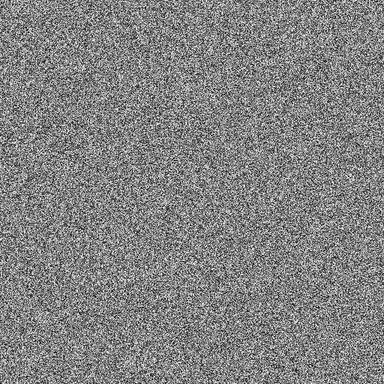
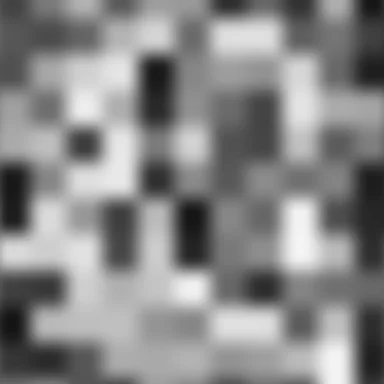
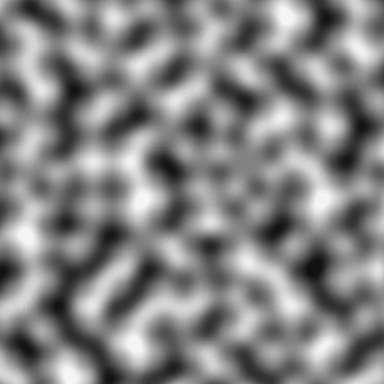
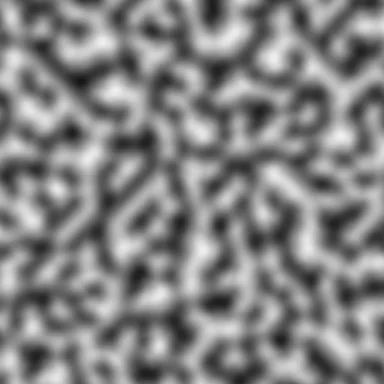
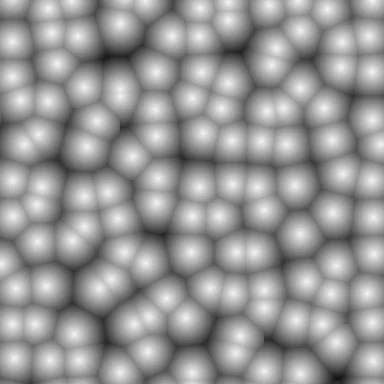
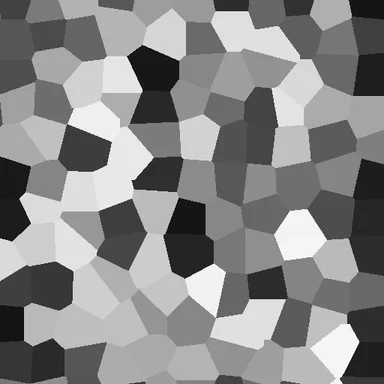
white, value, perlin; simplex, worley, cell. Each at scale-px: 48."out": { "op": "noise", "type": "perlin", "scale-px": 48, "low-color": "#111111", "high-color": "#f4f4f4" }whiteis a fresh random value per pixel — grain, sparkle, dither.valuepicks random values on a grid and blends between them. The grid shows, which is sometimes what you want.perlin(andsimplex) blends random slopes instead, so the blobs are rounded and the grid disappears. This is the workhorse.worleyscatters sites over the plane and measures the distance to the nearest one: bright on each site, darkening towards where two cells meet.celluses the same cells but gives each one a single flat random value — a start for anything made of pieces. Other tools call this Voronoi noise.
scale-px is the size of a feature in pixels. Give it two numbers, [x, y],
and the noise stretches: that one knob turns blobs into the grain of wood or
the layers of stone, as you will see.
Octaves: detail on top of detail
Section titled “Octaves: detail on top of detail”A single layer of noise is too smooth to look like anything natural. Real
surfaces have large shapes, smaller shapes on those, and smaller ones still.
octaves adds copies of the noise, each at twice the frequency (lacunarity)
and a fraction of the strength (gain) of the one before. This sum is called
fractal Brownian motion, fBm. Now give it colour with
color-ramp:
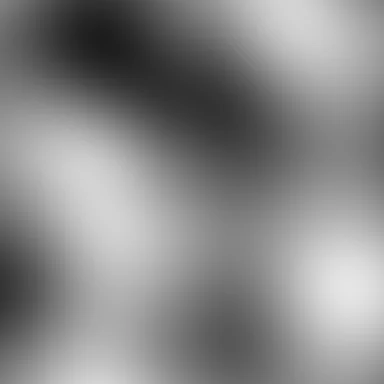
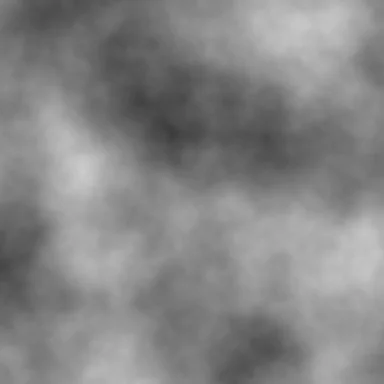
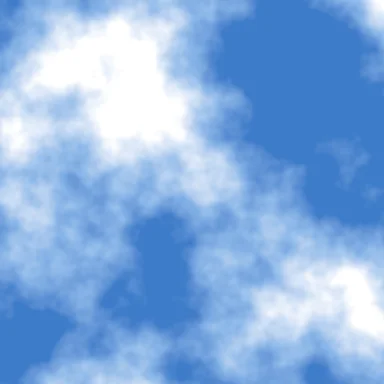
"fbm": { "op": "noise", "kind": "scalar", "type": "perlin", "scale-px": 320, "octaves": 6, "gain": 0.55 },"out": { "op": "color-ramp", "field": "@fbm", "space": "lab", "stops": [ { "value": -0.2, "color": "#3d7cc9" }, { "value": 0.05, "color": "#8db8e8" }, { "value": 0.35, "color": "#ffffff" } ] }kind: "scalar" makes noise emit the raw numbers — a ScalarField running
from −1 to 1 — instead of pixels. A field is not a picture yet; it is something
to decide with. color-ramp decides colour from it. Where the stops sit is
the whole design: all the blue lives below 0.05 and white takes over by 0.35,
so the sky shows through in the hollows of the field.
That is the first move worth keeping: make a field, then decide what it means.
Marble: stretch, then warp
Section titled “Marble: stretch, then warp”Marble is layers of sediment that were folded while soft. A recipe can do the same in that order.
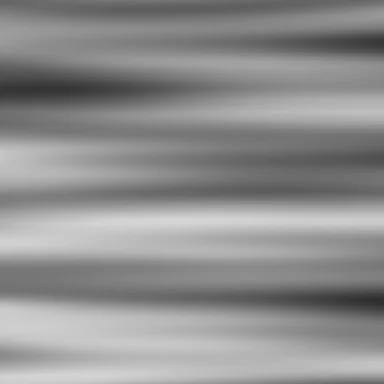
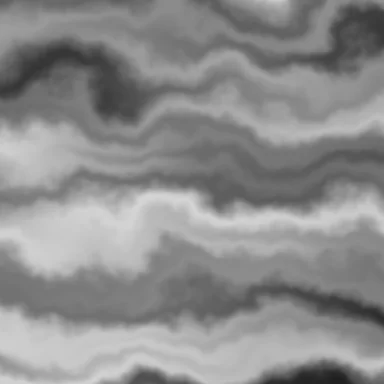
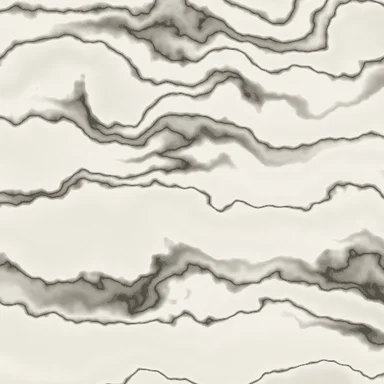

ezu graph texture-marble.json draws this.- Lay down sediment.
"scale-px": [900, 70]makes noise that changes slowly sideways and quickly downwards: horizontal bands. - Fold it.
warpreads each pixel from somewhere nearby instead of from where it is, and where comes from its own noise. This is domain warping: the shapes do not change colour, they get moved.amp-pxis how far. - Draw the veins.
pick-channelturns the grey picture back into a field, and the ramp does the rest:
"stops": [ { "value": 0.0, "color": "#d9d4c7" }, { "value": 0.44, "color": "#f3f0e8" }, { "value": 0.49, "color": "#8a8478" }, { "value": 0.5, "color": "#4a463f" }, { "value": 0.51, "color": "#8a8478" }, { "value": 0.56, "color": "#f3f0e8" }, { "value": 1.0, "color": "#e4dfd2" } ]Almost the whole range is cream. Only the values right around 0.5 go dark, so a vein appears wherever the field crosses the middle — a thin line that follows every fold. A ramp is not just a colour scale; a narrow spike in one is how you draw contour-like lines out of a smooth field.
Wood: the same moves, different numbers
Section titled “Wood: the same moves, different numbers”Wood needs nothing new, only different proportions: noise stretched much
further ([1400, 26]), warped only a little, and a ramp from dark late wood
to pale early wood. A second, extremely thin noise ([220, 1.5]) laid on with
multiply adds the fibres.
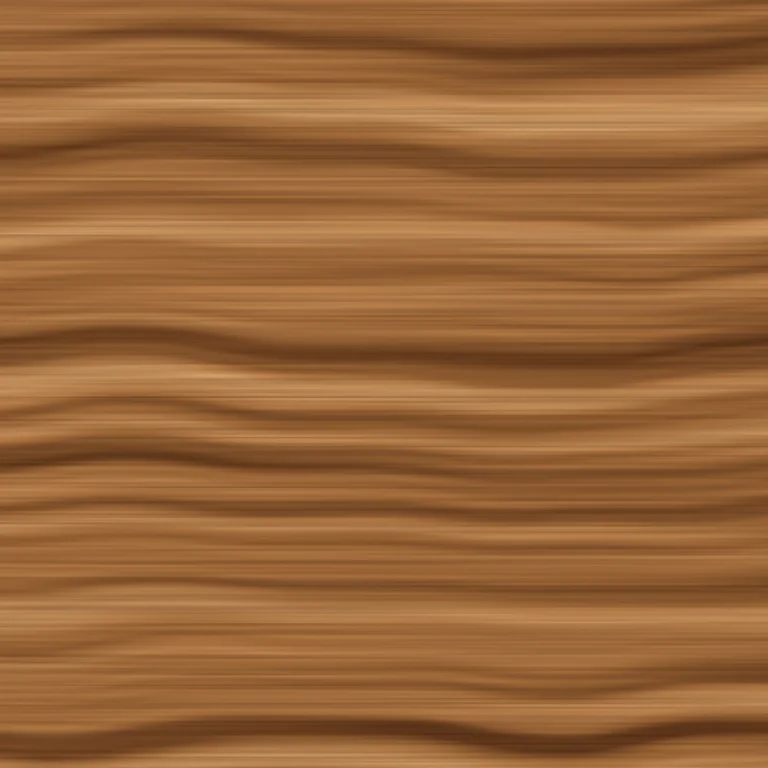
"rings": { "op": "noise", "type": "perlin", "scale-px": [1400, 26], "octaves": 3, "gain": 0.4, "low-color": "#000000", "high-color": "#ffffff" },"wobble": { "op": "warp", "input": "@rings", "amp-px": 14, "scale-px": 260, "octaves": 2 },"fibre": { "op": "noise", "type": "value", "scale-px": [220, 1.5], "octaves": 2, "low-color": "#4a2a12", "high-color": "#ffffff" },"out": { "op": "blend", "base": "@base", "over": "@fibre", "mode": "multiply", "opacity": 0.35 }Marble and wood share a graph shape. What makes them different materials is the ratio of the stretch, the strength of the warp and the colours of the ramp. Most procedural work is this: a handful of shapes, tuned.
Rust: noise as a mask
Section titled “Rust: noise as a mask”So far noise has always become colour. It can just as well decide where.
threshold cuts a field into 0 and 1, and
blend takes a mask that says how much of the top layer gets through.
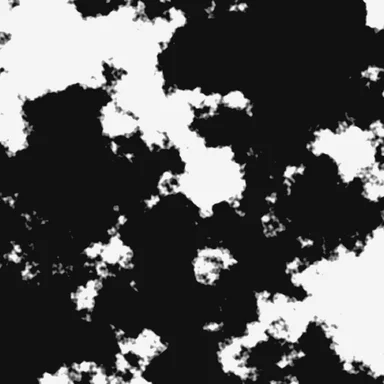
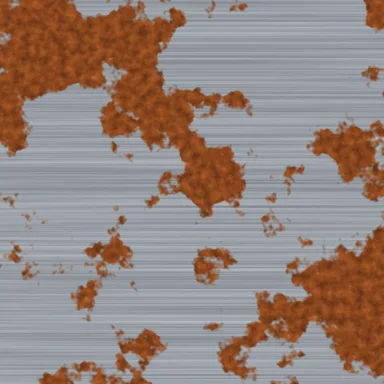

"patches": { "op": "noise", "kind": "scalar", "type": "perlin", "scale-px": 160, "octaves": 6, "gain": 0.6 },"mask_f": { "op": "threshold", "field": "@patches", "value": 0.1, "softness": 0.08, "low": 0, "high": 1 },"out": { "op": "blend", "base": "@metal", "over": "@rust", "mask": "@mask" }The brushed metal is one more stretched noise, this time [400, 2]: long thin
streaks. Raise the threshold value and the rust retreats; lower it and the
panel corrodes. One number now controls the amount of wear, which is the kind
of knob you would expose as a $param.
Cobblestones: geometry is procedural too
Section titled “Cobblestones: geometry is procedural too”Noise is not the only generator. Points, cells and lines can be made from nothing as well, and they are better at anything with crisp, countable pieces.
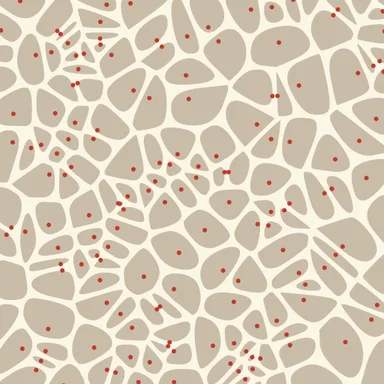
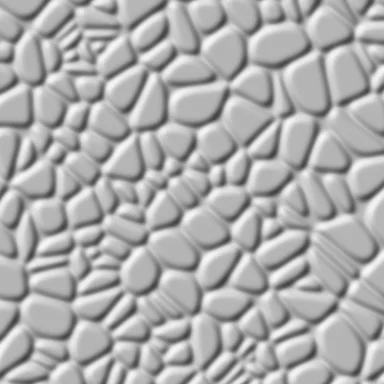
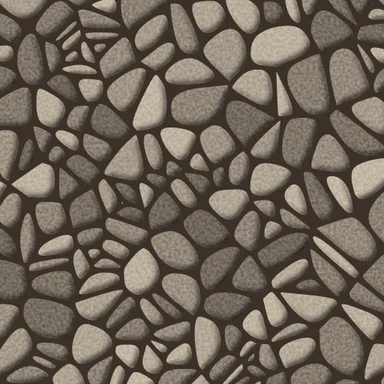

The shapes.
point-scatter throws random seed
points, voronoi-fracture cuts
an area into one cell per seed, a negative
buffer pulls every cell in by 3 px to
open the joints, and smooth rounds the
corners off.
"area": { "op": "tile-bounds", "cover": "canvas" },"seeds": { "op": "point-scatter", "spacing": 320 },"cells": { "op": "voronoi-fracture", "features": "@area", "seeds": "@seeds" },"shrunk": { "op": "buffer", "features": "@cells", "distance": -3, "join": "round" },"stones": { "op": "smooth", "features": "@shrunk", "iterations": 3 }The area is tile-bounds with
cover: "canvas": the tile plus the padding around it. Plain tile-bounds is
exactly the visible square, and stones cut against it would stop dead at the
tile’s edge. The seeds already cover the padding, so once the area does too, a
stone on the border is cut from the same seeds by both tiles that show it.
point-scatter measures its spacing in feature-extent units, 4096 to a tile,
so 320 is about 40 px on a 512 px tile. Every other length here is in pixels.
The light. This is the trick worth stealing. Fill the stones white and
blur them: the edges become soft ramps from
0 to 1. Read that as height — 0 in the joints, rising to a plateau in the
middle of each stone — and hillshade,
which was written for real terrain, lights it:
"silhouette": { "op": "fill-solid", "features": "@stones", "fill": "#ffffff" },"rounded": { "op": "blur", "input": "@silhouette", "sigma": 4 },"coverage": { "op": "pick-channel", "input": "@rounded", "channel": "a" },"height": { "op": "map-range", "field": "@coverage", "out-min": 0, "out-max": 6 },"relief": { "op": "hillshade", "field": "@height", "mode": "relief" }sigma decides how rounded the stones are, and out-max how tall. Any mask can
be turned into relief this way: lettering, field boundaries, a coastline.
The surface. Real stones are not all the same grey, and here each one gets
its own. voronoi-fracture gives every cell a property, random: a number in
[0, 1) drawn from its seed’s position in the world. It survives buffer and
smooth, so the stones still carry it, and a fill-expr turns it into a tone:
"toned": { "op": "fill-solid", "features": "@stones", "fill": "#9a8f80", "fill-expr": ["interpolate", ["linear"], ["get", "random"], 0, "#6e655b", 1, "#c4b8a4"] }Because the value comes from the seed’s world position, a stone on a tile border
is the same grey in both tiles. A fine noise blended with overlay and
clip: true adds grain inside the stones, and the relief is multiplied over
them.
Brick: regularity is a recipe too
Section titled “Brick: regularity is a recipe too”Brick looks like the opposite of noise: a strict pattern. It is still built from nothing; the pattern is just made of lines instead of fields.
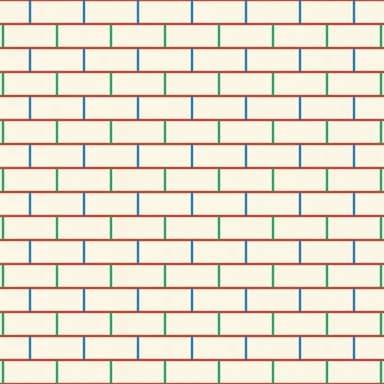
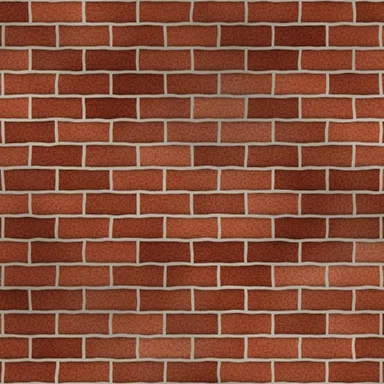

Laying the bond. hatch fills a
polygon with parallel lines. Horizontal lines every 32 px are the bed joints.
The vertical joints are the clever part: vertical lines every 72 px, cut by
dash into 32 px on, 32 px off, so they only
exist in every other course. A second set is shifted half a brick sideways
(phase: 0.5) and one course down (phase-px: 32), filling the courses the
first set skipped.
"area": { "op": "buffer", "features": "@tile", "distance": 64 },"bed": { "op": "hatch", "features": "@area", "angle-deg": 0, "spacing": 32 },"verticals_a": { "op": "hatch", "features": "@area", "angle-deg": 90, "spacing": 72 },"head_a": { "op": "dash", "features": "@verticals_a", "dash-px": 32, "gap-px": 32 },"verticals_b": { "op": "hatch", "features": "@area", "angle-deg": 90, "spacing": 72, "phase": 0.5 },"head_b": { "op": "dash", "features": "@verticals_b", "dash-px": 32, "gap-px": 32, "phase-px": 32 }The area reaches past the tile here too, so the joints run into the margin and
the warp below has mortar to pull in from beyond the edge. But it is the tile
grown by exactly 64 px with buffer, not cover: "canvas", for a reason:
dash counts its pattern from where each line starts, and only a line that
starts a whole number of courses — here two — above the tile keeps its dashes
on the courses. The canvas padding is whatever the graph needs, not a multiple
of anything.
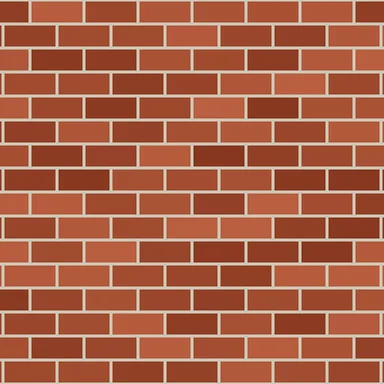
A colour for every brick. Fired bricks never match: each one comes out of
the kiln its own shade. That needs one shape per brick to colour, and the
cobblestones already showed how to get one shape per seed. Put a seed at the
centre of every brick — a point-grid
one brick by one course apart, with every other row shifted half a brick by
stagger — and fracture around them:
"centres": { "op": "point-grid", "anchor": "world", "spacing": 576, "spacing-y": 256, "offset-x": 288, "offset-y": 128, "stagger": 0.5 },"bricks": { "op": "voronoi-fracture", "features": "@area", "seeds": "@centres", "aspect": 8 },"fired": { "op": "fill-solid", "features": "@bricks", "fill": "#a4472f", "fill-expr": ["interpolate", ["linear"], ["get", "random"], 0, "#86361f", 1, "#bb6040"] }Like point-scatter, point-grid counts in extent units, so 576 × 256 is
72 × 32 px, and the offsets put the first seed in the middle of a brick. The
plain Voronoi cells of a staggered grid are hexagons, which would cut across the
courses. aspect: 8 counts vertical distance eight times over when deciding
which seed is nearest, and that squashes each hexagon into the rectangle of its
brick. Stroke the joints over the result, and you have the middle image —
correct, and obviously fake.
Making it believable. Nothing in the real world is that clean, and the weathering is all noise again:
- a broad noise blended with
soft-lightmottles the clay across bricks; - a very fine noise (
scale-px: 3) blended withoverlaygives the fired grit; - the bed joints are stroked a second time in black, wide, and blurred, and that soft line is multiplied in as the shadow under each course;
warpwith a tinyamp-px: 1.5makes the mortar wander, because nobody lays bricks with a ruler;- one last broad, transparent-to-dark noise multiplies in soot.
Each of those is one or two nodes, and each removes one reason the eye had to call it computer-made.
A map of nowhere
Section titled “A map of nowhere”Here is where it comes back to maps. fBm is not only a good cloud — it is a good terrain. Map the field to metres and every cartographic op that expects a DEM accepts it.
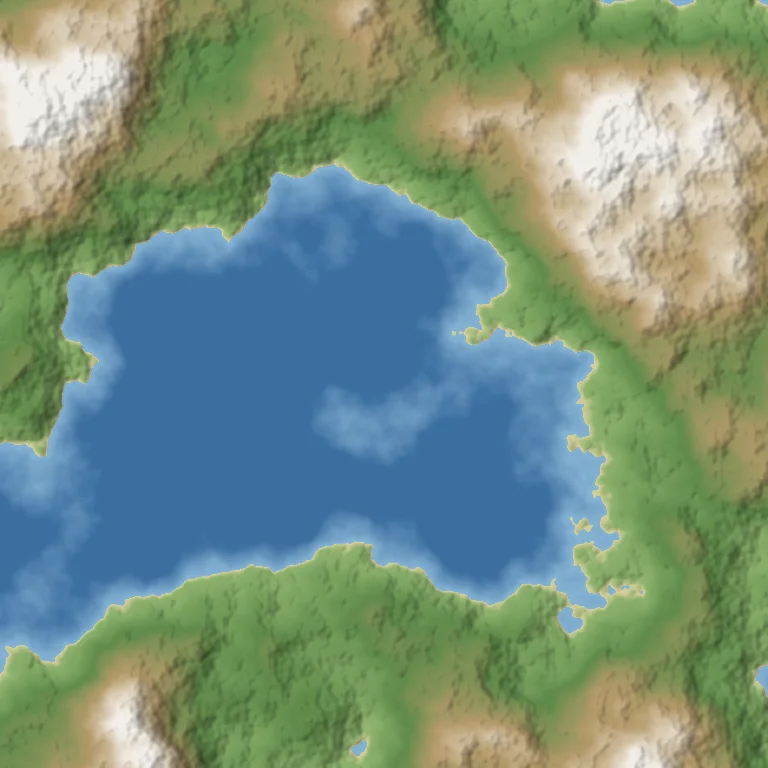

noise where the dem source would be."fbm": { "op": "noise", "kind": "scalar", "type": "perlin", "scale-px": 420, "octaves": 7, "gain": 0.5 },"dem": { "op": "map-range", "field": "@fbm", "in-min": -1, "in-max": 1, "out-min": -1800, "out-max": 2600 },"land": { "op": "map-range", "field": "@dem", "in-min": 0, "in-max": 2600, "out-min": 0, "out-max": 2600, "clamp": true },"relief": { "op": "hillshade", "field": "@land", "mode": "relief", "exaggeration": 0.02, "multidirectional": true }The tint is an ordinary hypsometric ramp — deep blue, shallows, beach, green, brown, snow — exactly as in hillshade and hypsometric tints. Two details:
- The sea is flat.
landclamps everything below 0 m to 0 before shading, so only the land gets relief. - The exaggeration is set by eye. A real DEM knows how many metres a pixel
covers; a noise field does not, so
hillshadecannot know how steep “2600 m over 420 px” should look. Turnexaggerationuntil it does.
The figure is four tiles side by side, rendered separately. They join because
noise defaults to anchor: world: the field is defined over the whole world
and each tile looks at its own window onto it, so neighbours agree at the edge.
warp, point-scatter and hatch are anchored the same way, and that is
what lets a texture cover a map rather than a single square — provided, as the
cobblestones and brick showed, the shapes reach past the tile’s edge too. More
in tiles and determinism.
Putting it on a map
Section titled “Putting it on a map”Everything above made a texture for the whole tile. A style makes one for the
places that need it, and that is a single mask: here, the brick texture from
before, unchanged, let through a fill of real building footprints at z17.
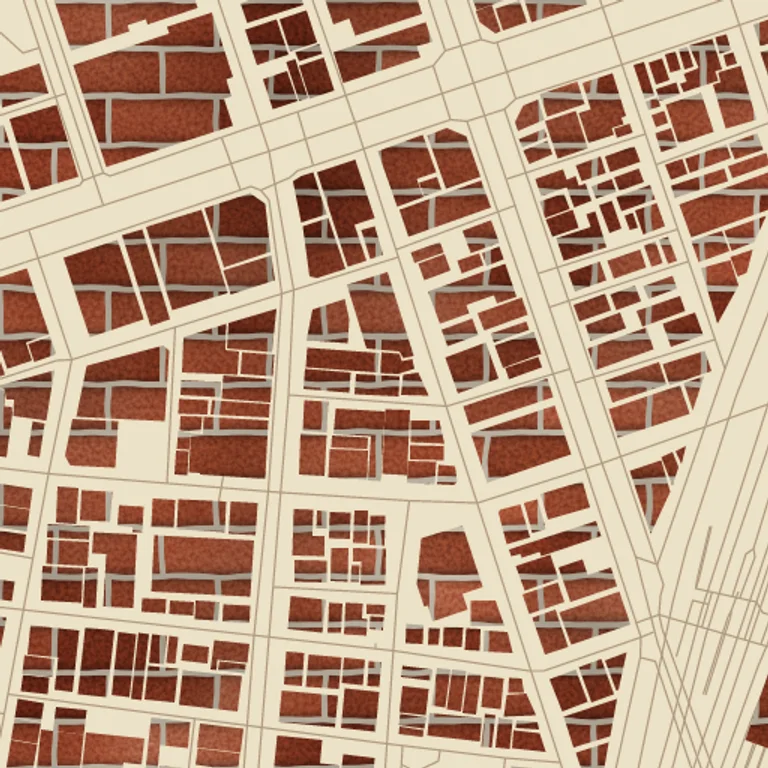
"buildings": { "op": "features", "source": "basemap", "layer": "buildings" },"footprints": { "op": "fill-solid", "features": "@buildings", "fill": "#ffffff" },"out": { "op": "blend", "base": "@base", "over": "@brick", "mask": "@footprints" }Look across neighbouring buildings and the courses line up: the brick is laid
once, over the whole world, and the buildings are windows onto it. From here
the moves combine freely — a thresholded noise as a mask on top of the
footprints for patchy wear, the blur-and-hillshade trick on the footprints for
raised blocks, marble in a plaza, point-scatter instead of tile-bounds for
trees.
Where to go next
Section titled “Where to go next”- The node catalog has a picture for most ops; it is the fastest way to find the next ingredient.
ezu graph style.json --tile 13/7276/3225 --out graph.htmldraws any style’s graph with every node’s own output on it — the best way to see what each step of a recipe contributes.- The cookbook applies the same thinking to painterly fills, brush strokes and halftones.
- The live editor re-renders as you type. Tuning a texture is change a number, look, change it again, and it makes that loop short.
Map renders on this site are made fromOpenStreetMap data viaProtomaps (© OpenStreetMap contributors), elevation from Re:Earth Terrain,Mapterhorn andEGM2008 (NGA), and aerial imagery from GSI Japan(© 国土地理院). The painterly styles use CC0 brushes byDavid Revoy.